The school bus waits for no one...especially the child who suddenly can’t find the other shoe.
Before the first day of school, take a few minutes to look up your student’s bus information. You can find the route number, bus number, stop location, pickup time and drop-off time in just a few steps.
Step 1: Visit the Bus Stop Website
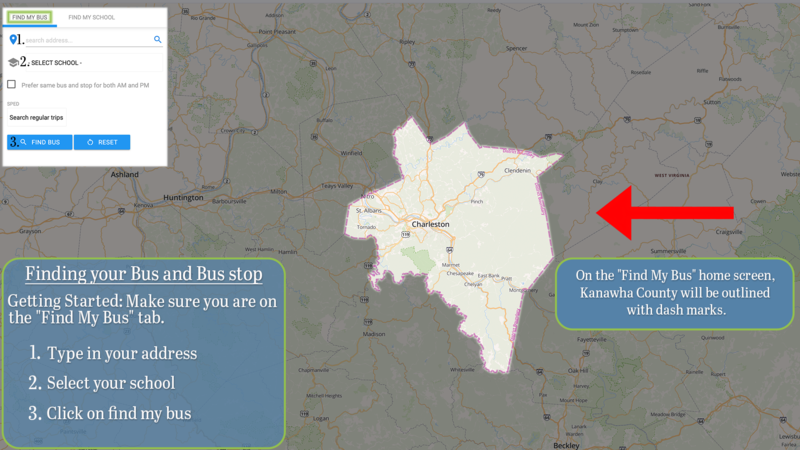
Go to KCSBusStop.com.
Step 2: Enter Your Information
Enter your home address and select your student’s school.
Step 3: Review Your Student’s Bus Information
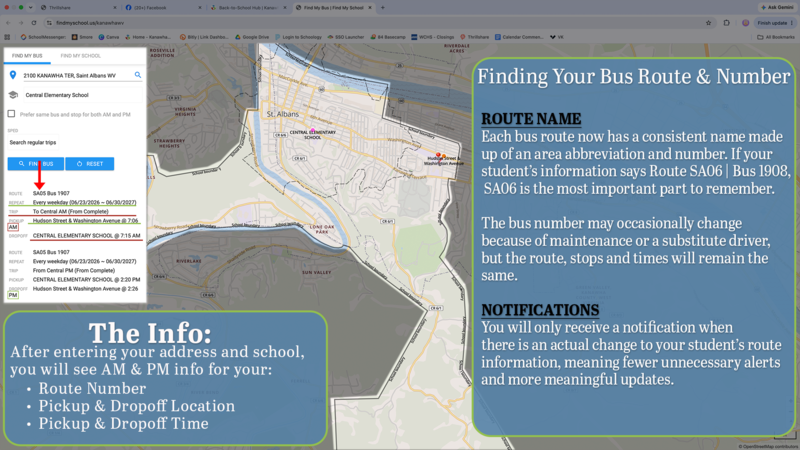
The website will show information for both the morning and afternoon routes, including:
Route number
Bus number
Pickup time
Pickup location
Drop-off time
Drop-off location
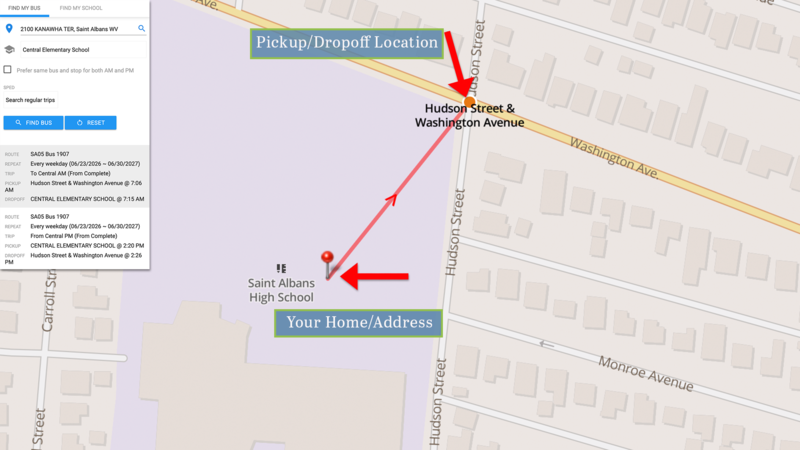
The Route Number Is the Number to Remember
Bus routes have new names this year. Each route now has a name made of letters and numbers, such as SA06.
If your student’s information says Route SA06 | Bus 1908, the route number is SA06. That is the most important number to remember.
Bus 1908 will normally drive that route, but a different bus may be used from time to time. Even if the bus number changes, the route, stop and times will stay the same.
Why Is KCS Making This Change?
In the past, families sometimes received a route-change alert when only the bus number had changed. Now, a different bus can cover the same route without creating an unnecessary alert.
Families will receive an alert when there is an actual change to the route, stop or times. That means fewer alerts and the alerts you receive will be more meaningful.
Coming Next: The New Bus-Tracking App
Yes, KCS has a new bus-tracking app. Yes, we have done this before. Several times. But we have a really good feeling about this one.
Our next guide will show you where to download the app and how to set up your account. Please join us in cautious optimism.